We help teams uncover the real costs behind every IT purchase. Too often a price tag hides long-term expenses like migration, training, maintenance, and downtime. Our guide shows how to measure the full lifecycle impact of each system and hardware choice.
By calculating total ownership, we give companies a clearer picture of resources, support needs, and security obligations. This prevents spending that hurts productivity and growth.
We apply a practical model to weigh licenses, upgrades, vendor support, and employee time. The result is a decision that favors long-term value over short-term price cuts.
Whether you consider a cloud solution or on-premises product, our framework helps quantify downtime risk and return on investment. Use this guide to make IT a strategic partner for your business.
Key Takeaways
- Look beyond the sticker price to calculate full lifecycle cost.
- Factor in migration, training, maintenance, and downtime.
- Assess licenses, security, and upgrade paths before purchase.
- Use ownership analysis to align IT with business goals.
- Quantify vendor support and resource needs for better ROI.
Understanding the True Financial Impact of Software
To make wise vendor choices, we must convert hidden efforts—training, upgrades, and downtime—into measurable costs. That means adding setup, migration, and recurring maintenance to the initial price to reveal the real total cost ownership of a system.
A Capterra survey found 58% of U.S. businesses regret at least one purchase because actual costs and onboarding challenges exceeded expectations. We use that finding to stress why a full cost ownership analysis matters.
Square’s transparent plans — Square Free, Square Plus, and Square Premium — show how clear pricing can reduce surprise costs. Small companies like Wink Skincare Studio benefit when bundled tools cut management time and hidden fees.
- Look beyond price: include training, staff time, and support.
- Compare fairly: use a consistent model to weigh vendors.
- Measure impact: estimate productivity losses from difficult tools.
“Bundling simplifies my operations and reduces time spent managing multiple platforms.”
| Cost Category | Typical Items | Short-Term Impact | Long-Term Effect |
|---|---|---|---|
| One-time setup | Installation, migration | Immediate expense | Improved system readiness |
| Recurring | Subscriptions, maintenance, upgrades | Monthly/annual fees | Ongoing budget drain or value |
| Operational | Training, staff time, support | Productivity dips | Higher lifetime cost or efficiency gains |
| Exit | Data migration, replacement | Project costs | Costs to change vendors |
Why TCO Software Evaluation is Essential for Growth
A clear view of lifetime expenses helps leaders budget and scale with confidence. When we count every fee, downtime risk, and training hour, planning becomes proactive instead of reactive.
Predictable Budgeting
Predictable budgeting lets our teams plan for the full lifecycle of an investment. We avoid surprise renewal fees and sudden resource pulls.
Consistent modeling translates into clearer headcount planning, better cash flow, and fewer emergency buys as we grow.
Fairer Vendor Comparisons
A rigorous analysis ensures vendors are compared on long-term value rather than entry price. Many sellers offer low initial rates that mask multi-year commitments.
By understanding total cost ownership, we spot hidden risks that can drain profits during scaling. This keeps our choices aligned to business goals.
| Metric | Entry Price | Lifecycle Cost |
|---|---|---|
| Initial fee | Low to medium | Includes migration and setup |
| Recurring burden | Monthly/annual price | Support, upgrades, staff time |
| Long-term value | Perceived savings | Net operational value and stability |
Defining the Scope of Your Technology Investment
Start by setting clear boundaries for your technology project so every vendor quote addresses the same requirements.
We document non-negotiable features such as payment processing, data migration, and the number of terminals or locations. This lets us model hardware and license costs accurately.
Next, we list future needs. We estimate growth and the time required for setup and integration. That prevents underestimating migration and ongoing costs.
A defined scope keeps comparisons fair. Without it, we risk comparing tools with different capabilities and mismatching long-term value to short-term price.
- Specify must-have functions and integrations.
- Note expected user count and hardware needs.
- Estimate time for deployment and staff training.
“Scope clarity turns price quotes into meaningful cost comparisons.”
| Scope Element | What to Record | Why It Matters |
|---|---|---|
| Features | Payment, reporting, integrations | Ensures vendors meet business needs |
| Scale | Locations, terminals, users | Drives hardware and license cost models |
| Timeline | Migration, setup, training hours | Captures implementation and time costs |
Gathering Business Data and Assumptions
We gather real operational numbers so our cost model reflects how the business actually runs.
Start by pulling transaction volume, average order size, and staff counts from current reports. These data points drive the biggest costs in any ownership model.
Document assumptions clearly: turnover rate, training hours per employee, and expected growth. Clear notes keep the model credible and repeatable.
For example, when evaluating a POS system, record transaction mix and how many staff use each terminal. Use 2024 POS reports and payroll logs as a baseline.
- Involve the team to capture real-world productivity and support needs.
- Estimate employee time for training and retraining as a tangible cost.
- Define hardware counts—registers, printers, and spare units—so purchase estimates are realistic.
| Metric | Source | How to Record |
|---|---|---|
| Transactions/day | POS reports | Average by month |
| Training hours | HR logs | Hours per employee |
| Hardware needs | Asset inventory | Units required + spares |
Keep notes beside calculations so you can update the model as the company grows. This keeps value and productivity estimates honest and useful.
Categorizing Direct and Indirect Costs
We break expenses into measurable charges and harder-to-quantify impacts so decisions rest on facts, not assumptions. That split lets us capture the full total cost and avoid surprises when a system goes live.
Direct Cost Factors
Direct costs are easy to list. They include hardware purchase, software subscriptions, and staff wages tied to the system.
Count licenses, peripherals, and one-time setup fees. Include vendor fees and predictable maintenance as line items for clear comparison.
Hidden Indirect Costs
Indirect costs are less visible but often larger. Training time, lost productivity during rollout, and extra security or data handling work matter.
Also account for utility bills for on-premises hardware, opportunity cost of employee hours, and ongoing support needs. Missing these skews any tco analysis.
- Trace costs back to assets so you can allocate budget accurately.
- Estimate training and downtime in hours and translate them to wages.
- Document maintenance, security, and utility burdens for true ownership pricing.
By naming both direct and indirect factors, we get a realistic view of cost and value. That makes ownership analysis actionable for the business.
Analyzing Setup and Implementation Expenses
Setup and implementation often carry one-time charges that shape the real cost of a new system. We list these initial costs so our ownership model starts from reality, not sticker price.
Begin with configuration and data migration. Moving customer and inventory records can require cleanup, mapping, and outside help. That work is a clear example of a non-recurring expense.
Training for staff is another major setup cost. We budget hours for classroom and on-the-floor practice. Underestimating training raises downtime and slows adoption.
Factor in hardware like registers and printers, and any custom integrations that connect to payroll or accounting. Review vendor setup fees closely to see if they hide costs inside long-term subscriptions.
- Configuration and migration planning
- Training hours and shadow shifts
- Hardware purchases and spare units
- Custom integration and testing
- Vendor setup fee transparency
Accurate analysis of these one-time costs helps us compare offers fairly. Documenting every setup line item improves budgeting and smooths the transition. Square’s clear hardware pricing can make this step easier to model.
Evaluating Ongoing Operating and Maintenance Costs
Recurring bills often determine whether a purchase becomes a bargain or a long-term drain on resources.
We must track ongoing operating costs to see how subscriptions, license fees, and consumables add up over a product’s life.
Subscription and License Fees
Subscription and license fees usually form the largest share of total cost over time.
Count per-seat charges, tier upgrades, and usage limits. Also include cloud egress or data transfer fees as a recurring cost example.
Support and Maintenance
Support contracts and maintenance plans keep systems updated and secure.
We budget for regular upgrades, security patches, and vendor support to avoid costly downtime that can hurt the business.
Productivity Impacts
Measure productivity by surveying employees and tracking task time before and after change.
Include retraining costs from staff turnover and small consumables like receipt paper or ink that add up across locations.
- Fixed vs variable: separate steady subscription fees from costs that scale with users or data.
- Consolidation benefits: a unified service can reduce multiple payments into one subscription and lower total ownership.
- Monitor regularly: review recurring costs quarterly to ensure ongoing value and avoid surprises.
| Cost Type | What to Record | Why It Matters |
|---|---|---|
| Licenses | Per-user, per-terminal fees | Drives recurring budget needs |
| Support | Contract level, response time | Reduces downtime and security risk |
| Operational | Consumables, retraining hours | Impacts productivity and life-cycle cost |
Factoring in Growth and Scaling Requirements
As we add locations, small choices in licensing and hardware can reshape total ownership quickly. Planning for growth lets us spot those shifts before they strain the budget.

Project additional costs early: count new registers, terminals, and network needs. Some vendors raise per-location or per-user fees as you scale, and that raises recurring costs over time.
We also model higher transaction volumes to estimate processing fees and bandwidth. This helps us see when upgrades or higher tiers become necessary.
- Estimate extra hardware and spare units per new site.
- Account for integration work for delivery channels and new payment flows.
- Compare vendor upgrade paths and hidden fees for growth phases.
| Growth Driver | Likely Impact | What to Model |
|---|---|---|
| New locations | More terminals, setup hours | Hardware count, installation time |
| Higher volume | Increased processing fees | Transaction mix, data transfer |
| Feature upgrades | Higher subscription tier | Upgrade cost, training time |
By anticipating scaling costs, we choose a flexible system that keeps our investment strategic and avoids costly overhauls as we grow.
Assessing Replacement and Exit Costs
Every technology we buy will one day need replacement, and that end-of-life cost matters as much as the purchase price.
We model exit costs so the total cost picture includes termination fees, overlap periods, and migration work. Contract penalties or early-exit charges can quickly erase upfront savings.
Tailoring Analysis to Your Business Model
First, estimate data migration time and risk. If a vendor makes exports difficult, migration costs rise and historical records may be incomplete.
Next, count hardware write-offs. Old registers or terminals that won’t work with a new system add replacement expense and downtime.
We also plan overlap for running two systems during transition. That temporary duplication creates staffing and licensing costs that many teams miss.
- Include contract exit fees and prorated charges.
- Model data migration labor and possible data loss risk.
- Estimate hardware replacement and disposal costs.
By documenting these lifecycle costs, we spot red flags and choose vendors that protect long-term flexibility and value. This makes our ownership analysis realistic and actionable.
Identifying Industry Specific Cost Drivers
Different industries stack costs in unique ways, so a one-size model misses critical drivers.
We map common cost patterns for restaurants, retail, and beauty salons to make comparisons fair and useful.
Tailoring Analysis to Your Business Model
Restaurants often carry hardware-heavy burdens like kitchen display systems and extra terminals. That raises initial hardware cost and ongoing support time.
Retail needs unified in-store and online systems. Inventory tools and multi-channel integrations can add subscription costs and per-location fees.
Beauty salons usually pay through appointment, CRM, and loyalty features. Choosing a consolidated solution cuts duplicate licenses and frees staff time.
- Example: Square food and beverage businesses show a tco up to 24% lower than other leading POS providers.
- Retail note: Square retail TCO is over 60% lower than retail POS competitors when inventory and e‑commerce are unified.
By spotting where costs build — processing, licenses, upgrades, or hardware — we tailor our ownership model. That helps us pick vendors and plan resources so the product delivers long-term value.
Leveraging Tools for Accurate Financial Modeling
We use purpose-built calculators to turn messy cost assumptions into clear, comparable financial results.
Tools like the Scale Computing TCO Calculator help our team model operational cost, projected savings, and ROI for IT infrastructure over 3, 5, and 7 years.
These tools automate complex math and reduce human error. They compare system, hardware, and support lines to industry benchmarks. That gives us data to back procurement decisions.
Using a dedicated calculator also speeds stakeholder buy-in. It creates charts and exportable reports that justify budgets and clarify long-term benefits.
- Model annual and multi-year cost scenarios.
- Include vendor support, maintenance, and resource time.
- Run sensitivity checks for growth or unexpected downtime.
| Feature | What It Measures | Business Benefit |
|---|---|---|
| Multi-year Forecasts | 3/5/7-year cost and savings | Shows long-term ROI and break-even |
| Operational Comparison | Support, staffing, maintenance | Reveals recurring cost drivers |
| Sensitivity Analysis | Impact of downtime, growth | Prepares teams for risk and scale |
How we pick a tool: it must accept real data exports, model hardware and licensing, and produce clear reports for finance and IT.
When we combine automated modeling with careful assumptions, our cost planning becomes actionable and trusted across the business.
Avoiding Common Pitfalls in Technology Procurement
We avoid costly surprises by demanding clear migration, support, and maintenance terms up front. That simple step forces vendors to disclose recurring charges and helps us measure the total cost of ownership for any purchase.
Failing to account for integration fees, retraining, and downtime is a leading reason investments underperform. Many companies regret a product purchase after onboarding proves harder than promised.
We reduce vendor lock-in risk by documenting data export and migration steps before signing. Involving our team early uncovers security gaps and productivity bottlenecks that vendors may not flag.
- Compare on lifecycle cost: don’t be swayed by low entry price.
- Demand clarity: written migration, support, and maintenance terms.
- Include staff feedback: test workflows with real users.
| Common Mistake | Impact | How We Fix It |
|---|---|---|
| Hidden add-ons | Unexpected costs | Line-item contract review |
| Poor migration plan | Data loss, downtime | Pre-migration testing |
| No team buy-in | Low adoption | User trials and training |
Transparent purchasing and lifecycle planning are the best way to protect return on investment and keep our business running smoothly.
Conclusion
Closing thought: Closing the loop on lifecycle costs gives teams the confidence to invest in systems that scale.
We have shown how a full total cost ownership approach helps your business spot true expenses—from initial hardware purchase to ongoing system maintenance—and keep budgets predictable.
Use reliable tools, clear pricing, and realistic time estimates to compare vendors fairly and avoid procurement pitfalls. Data-driven choices let us turn IT into a strategic partner for the business.
Start your analysis today to protect resources, prioritize long-term value, and make buying decisions that support sustainable business growth.
FAQ
What is the primary purpose of a vendor selection guide for evaluating total cost of ownership?
We use a vendor selection guide to compare purchase price, ongoing maintenance, and implementation expenses so we can forecast the full financial impact of a new system. It helps our team weigh upfront costs against long-term expenses like licenses, support, training, and potential productivity changes.
How do we define the scope of our technology investment?
We list the modules, hardware, integrations, and expected user counts that the solution must support. Then we map required features to business processes and include migration, security, and compliance needs so the analysis reflects real-world usage and future growth.
Which business data and assumptions are required for accurate modeling?
We gather current headcount, average salary, transaction volumes, uptime requirements, and change management timelines. We also capture expected growth rates, license renewal cycles, and vendor service levels to produce realistic cost projections.
What are the key direct cost factors we must include?
Direct costs include purchase price, license or subscription fees, hardware, initial setup, data migration, and implementation services. We also account for training, integration work, and any third-party tools required to run the solution.
Which hidden indirect costs should we watch for?
Hidden costs often appear as productivity loss during onboarding, increased IT support demand, downtime, security remediation, and vendor-induced workflow changes. We quantify these where possible and add contingency for unforeseen business disruption.
How should we analyze setup and implementation expenses?
We break down vendor professional services, internal staff time, external consultants, data cleaning, testing, and pilot runs. We schedule milestones and estimate calendar time so we can convert effort into labor cost and expected operational impact.
What ongoing operating and maintenance costs matter most?
We track subscription and license fees, patching and upgrades, vendor support contracts, infrastructure hosting, backup, and monitoring. We also include routine training, security audits, and periodic performance tuning in annual operating budgets.
How do subscription and license models affect long-term cost?
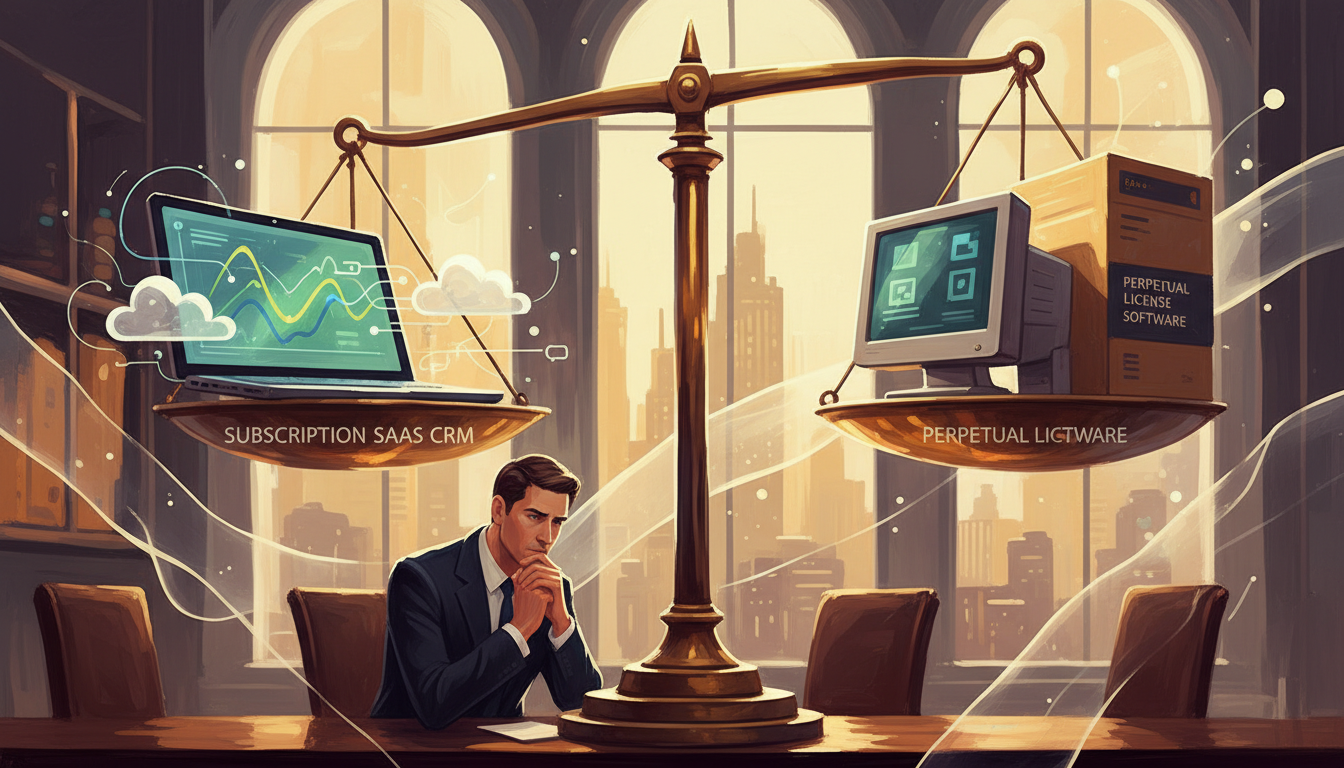
Per-user fees, tiered licensing, and usage-based pricing change as we scale. We model different adoption scenarios to see whether a subscription, perpetual license with maintenance, or hybrid approach yields the best value over the system life.
What should we expect from support and maintenance expenses?
Support tiers vary; higher SLAs cost more. We include base support, premium incident response, and any managed services. We also factor internal team time spent coordinating with vendors and resolving recurring issues.
How do productivity impacts influence total cost calculations?
Productivity gains or losses translate into tangible ROI or expense. We estimate time savings from automation and potential slowdowns from new workflows, then convert those hours into dollar values based on employee salaries and throughput.
How do we account for growth and scaling requirements?
We test cost sensitivity across user growth, transaction increases, and geographic expansion. This includes assessing license ramp costs, extra infrastructure, multi-region support, and the need for higher support SLAs as we scale.
What replacement and exit costs should be anticipated?
Exit costs include data export, contract termination fees, migration to a successor system, and potential stranded investments in custom integrations. We plan for rollback scenarios and data portability to avoid surprises at contract end.
How do industry-specific cost drivers change the analysis?
Regulated industries face additional compliance, audit, and security expenses. Retail and logistics may require high-availability infrastructure and peak capacity planning. We tailor assumptions to sector needs to reflect realistic cost profiles.
Which financial modeling tools help produce accurate estimates?
We use spreadsheets, scenario-based cost models, and vendor calculators to compare options. We favor tools that let us adjust assumptions for staff time, license growth, and downtime so stakeholders can see best-, likely-, and worst-case outcomes.
What common procurement pitfalls should we avoid?
We avoid focusing solely on purchase price, underestimating migration effort, ignoring vendor lock-in, and skipping references. We also ensure security, training, and ongoing support are explicitly priced to prevent budget overruns.