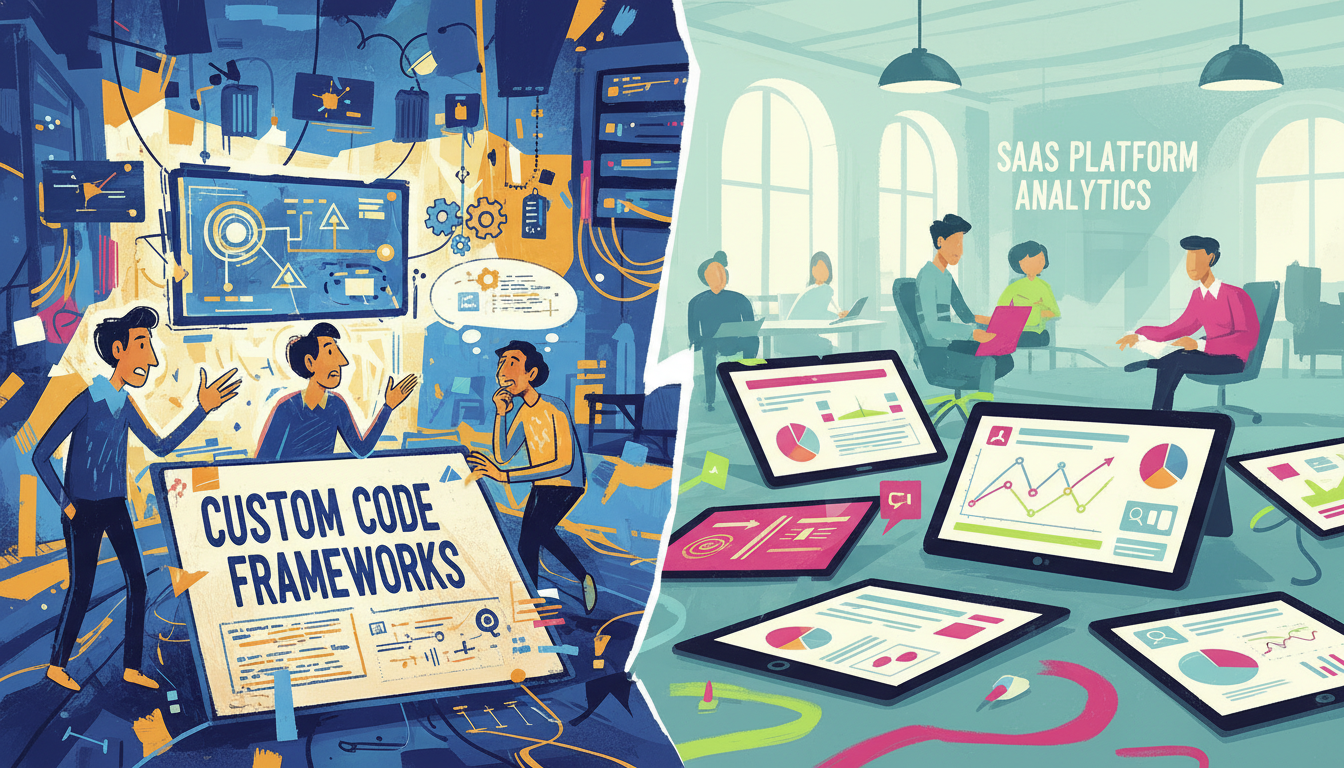
On May 05, 2026, industry data showed many businesses struggling with fragmented operations across departments. We face a clear decision: build a tailored platform or adopt an off-the-shelf cloud solution.
In this technical review, we examine how the right enterprise system shapes growth and daily operations. We look at infrastructure needs, deployment time, and how a dedicated development team can move a company from spreadsheets to unified software.
We also assess security for sensitive data, long-term costs, and how different platforms affect users and customer experience. Our goal is to give businesses a clear framework for choosing the best solution for their needs.
Key Takeaways
- Assess infrastructure and deployment time before deciding.
- Balance development effort with long-term costs.
- Prioritize data security and user workflows.
- Align the platform with growth and operations needs.
- Partner with experienced teams to reduce risk and speed delivery.
Understanding the Modern ERP Landscape
Many organizations now prioritize integrated platforms to stop manual data handoffs that slow growth. We see that enterprise resource planning systems unite inventory, finance, and customer workflows into a single source of truth.
Yodaplus Technologies emphasizes that businesses must match system features to clear requirements. When departments pick different software, manual updates and late reports erode productivity and frustrate teams.
Modern firms need automated solutions that give instant data access and let leaders manage operations from one hub. This alignment improves customer response and reduces errors from duplicated effort.
- Faster reporting through centralized data flows.
- Reduced manual inventory adjustments across locations.
- Clearer governance for data and process management.
| Capability | Immediate Impact | Who Benefits | Business Outcome |
|---|---|---|---|
| Centralized data | Real-time visibility | Operations, Finance | Faster decisions |
| Automated workflows | Fewer manual steps | Warehouse, Retail | Lower labor costs |
| Integrated reporting | On-demand analytics | Management, Sales | Improved customer service |
| Scalable architecture | Supports growth | IT, Leadership | Long-term efficiency |
Defining Custom ERP vs SaaS ERP Architectures
We examine how two architecture styles answer business needs for control, integration, and growth. The right choice depends on requirements, users, and long-term resource planning.
Core Characteristics of Tailor-made Systems
Tailor-made systems are built to match exact workflows. We gain full control over the system architecture and deep integration with legacy tools.
Scalability is inherent: modules grow with the company and support unique enterprise processes. Development focuses on long-term efficiency rather than quick rollout.
The SaaS Subscription Model
SaaS solutions provide fast deployment and lower initial infrastructure work. The vendor handles updates and maintenance, which reduces internal IT burden.
However, that speed often limits flexibility. Users may need to adapt processes to the platform, and integrations can be constrained by vendor APIs.
| Characteristic | Tailor-made | SaaS |
|---|---|---|
| Control | Full system control | Vendor-managed |
| Integration | Deep, custom connectors | Standard APIs only |
| Scalability | Built-to-fit growth | Shared platform scaling |
| Deployment time | Longer, phased | Faster, out-of-the-box |
Technical Comparison of Deployment and Maintenance
How a solution is rolled out often determines user adoption and long-term upkeep. We compare timelines, who manages infrastructure, and where ongoing costs appear.
Managing Updates and Infrastructure
SaaS deployments typically go live faster because the platform is already built and tested. That speed helps teams start using the system quickly and lowers initial implementation time.
In-house development demands more time. Building tailored features requires planning, iterative testing, and staged deployment to meet exact requirements without disrupting operations.
Organizations that build their own software must manage infrastructure and maintenance. That need means dedicated technical staff, routine patching, and ongoing security work.
Vendors handle updates and maintenance for hosted solutions, reducing internal IT load but creating vendor dependency. Maintenance costs for in-house systems often exceed subscription fees once you include servers, support, and updates.
- Faster deployment favors packaged platforms.
- Full control requires more development time and infrastructure effort.
- As businesses scale, the time invested in tailored development can yield a stable, efficient platform for users.
Evaluating Data Security and Ownership Models
Control over data storage and handling shapes procurement. We see security as a primary filter when assessing any erp option. Clear custody rules determine who answers for breaches and audits.
Building your own software lets businesses set policies and controls. Full ownership removes vendor-imposed storage terms and gives teams direct control of retention, encryption, and access rules.
With hosted solutions, security often becomes a shared responsibility. The vendor handles infrastructure, but users must enforce policies and confirm compliance with industry requirements.
For regulated companies, owning the system allows implementation of bespoke controls and tailored logging that packaged platforms may not support. That capability also enables safe use of data for analytics or new revenue streams.
- Tailored controls reduce exposure for sensitive records.
- Shared models speed deployment but increase trust dependency.
- Ownership supports long-term flexibility and audit readiness.
| Aspect | Owned | Hosted |
|---|---|---|
| Security control | Complete | Shared |
| Data ownership | Business | Vendor terms |
| Compliance mapping | Custom | Standard |
Financial Implications of Software Development
We must map capital outlay and recurring charges to forecast true lifetime cost of any software solution.
Initial Capital Expenditure
Building tailored software requires a larger initial investment for design, coding, and testing. We budget for a development team, infrastructure, and deployment time.
Many firms in India, and specifically Chennai, offer skilled development services that lower initial spend without sacrificing quality.
Long-term Operational Costs
Ongoing maintenance, hosting, and feature updates add annual costs. Ownership reduces vendor lock-in but shifts management and infrastructure costs to us.
As users grow, per-user license models can make subscription platforms expensive over time.
Hidden Fees in Subscription Models
Subscription options often include tiered fees, premium features, and per-user charges. These hidden fees can raise total costs significantly as the enterprise scales.
We find that avoiding per-user license fees often makes an up-front investment more cost-effective long term.
| Financial Aspect | Build (Owned) | Subscribe (Hosted) | Impact |
|---|---|---|---|
| Initial spend | High (development, infra) | Low (setup, onboarding) | Upfront budget planning |
| Recurring costs | Maintenance, hosting | Subscription, per-user fees | Predictability vs. scalability |
| Hidden fees | Upgrade & support | Premium tiers, add-ons | Watch for escalating fees |
| Long-term ROI | Improved efficiency, ownership | Faster deployment, vendor dependence | Choice depends on growth and needs |
Strategic Advantages of Tailored Workflows
We build tailored workflows to automate repetitive tasks and reduce human error. This focus raises productivity and frees staff to work on higher‑value activities.

A workflow-first system gives businesses a competitive advantage by offering industry-specific features that generic platforms often lack. Seamless integration with CRM and accounting keeps data consistent across tools.
- Automates routine work, cutting manual steps and errors.
- Aligns reporting and processes to current requirements and future growth.
- Makes integration with existing systems straightforward, reducing integration cost.
- Ensures the development team evolves the software as our needs change.
| Advantage | Result | Who Benefits | Impact |
|---|---|---|---|
| Automated workflows | Fewer errors, faster cycles | Operations, Users | Lower operational cost |
| System integration | Unified data | Finance, Sales | Better decisions |
| Scalable design | Supports growth | IT, Leadership | Long-term efficiency |
Integrating Emerging Technologies into Your System
Emerging AI tools now let us embed prediction and automation directly into core business workflows.
Leveraging AI and Automation
We build intelligent systems that apply machine learning and natural language processing to routine tasks. This reduces manual effort and improves data-driven decision making.
Salesforce has added Einstein GPT and Agentforce to automate customer interactions. Tools like Figma and Notion show how AI speeds design and content work, which we mirror in operational flows.
Techzarinfo helps companies develop scalable software that embeds agents and predictive analytics. We can link accounting and inventory modules so the system reconciles and suggests actions automatically.
- Operational automation: faster cycle times and lower human error.
- Predictive analytics: better forecasting for inventory and cash flow.
- Seamless integration: AI agents execute multi-step workflows across systems.
| Technology | Use Case | Benefit |
|---|---|---|
| Einstein GPT / Agentforce | Automate customer and service workflows | Reduced response time, higher satisfaction |
| ML-driven forecasting | Inventory and demand prediction | Lower stockouts, optimized cost |
| AI assistants (NLP) | Automate reporting and approvals | Faster decisions, fewer manual steps |
We recommend a phased approach to integration. Start with high-impact workflows, measure results, and scale the infrastructure to keep systems secure and scalable.
Conclusion
Choosing the right system hinges on how well it meets your practical needs and long-term goals. Weigh speed of implementation against the investment in development and ownership.
Packaged platforms suit businesses that need fast deployment and lower upfront cost. A tailored build delivers flexibility, tighter data control, and a stronger fit for complex requirements.
Proper maintenance and clear ownership protect value over time. Often a mixed approach — integrating off-the-shelf solutions with targeted custom development — yields the best operational and cost outcomes.
Our final guidance: align the choice with operations, budget, and growth plans to secure a true competitive advantage.
FAQ
What are the main technical differences between a tailored enterprise resource planning system and an off-the-shelf software service?
The primary differences lie in architecture, control, and extensibility. A tailored system is built to match our workflows, offering full control over data models, integrations, and deployment choices. An off-the-shelf software service uses multi-tenant architecture, standard APIs, and managed infrastructure, which speeds deployment but limits deep customization. We balance flexibility against time-to-value, maintenance, and hosting responsibilities when choosing between them.
How does deployment and ongoing maintenance compare between building our own platform and subscribing to a hosted service?
Building our own platform requires investing in servers or cloud infrastructure, CI/CD pipelines, and a development team to handle updates and patches. A hosted service shifts infrastructure and routine maintenance to the vendor, including automatic updates and monitoring. We must weigh internal staffing costs and control against vendor SLAs, downtime risk, and the pace of feature release.
Who owns the data and how is security handled in each approach?
With a bespoke system we retain full data ownership and can enforce our encryption, access controls, and compliance standards. Hosted services typically store data on vendor-managed systems and operate under their security policies and certifications like SOC 2 or ISO 27001. We evaluate contractual terms, data residency, encryption-at-rest and in-transit, and breach notification obligations before deciding.
What should we expect for initial costs and longer-term operational expenses?
Initial capital outlay for a custom build covers design, development, testing, and deployment. Subscriptions require lower upfront spend but include recurring fees per user, module, or transaction. Over time, operational costs for custom solutions include hosting, support, and continuous development, while subscriptions can increase with user growth, integrations, and premium features. We perform total cost of ownership modeling to compare scenarios.
Are there hidden fees in subscription models that we should watch for?
Yes. Common hidden fees include charges for premium APIs, additional integrations, higher-tier support, overage fees for transactions or storage, and onboarding or training costs. We read vendor contracts carefully and negotiate limits, volume discounts, and predictable pricing to avoid surprises.
How adaptable are each option to industry-specific workflows like manufacturing, distribution, or accounting?
Tailored systems can model niche processes precisely, integrate with industry hardware, and support specialized compliance. Hosted services often provide configurable modules and marketplaces of connectors that work well for common verticals but may require compromises. We assess gap analysis and the effort required to extend a platform versus building niche functionality from scratch.
What integration capabilities should we require for third-party systems and platforms?
We should require robust, well-documented APIs (REST/GraphQL), support for webhooks, middleware compatibility, and prebuilt connectors for common tools like QuickBooks, Salesforce, or Shopify. For bespoke builds, we design for modular integration and standard protocols. For vendors, we verify the availability and limits of integration endpoints and rate limits.
How does scalability differ and what growth considerations matter?
Hosted services typically scale horizontally on demand with provider-managed elasticity, making them suitable for rapid growth with predictable operational overhead. Self-built platforms can scale similarly if designed for cloud-native patterns, but require capacity planning, scaling policies, and cost management. We plan for peak loads, multi-region deployments, and database sharding or partitioning strategies where appropriate.
Can we incorporate AI, automation, and analytics into either model, and which is easier?
Both models support AI and automation. Hosted services often include built-in analytics, machine learning features, and low-code automation that accelerate adoption. Custom platforms allow us to integrate specific models, train on proprietary data, and tailor automation precisely to our processes. We choose based on data ownership needs, performance, and the complexity of use cases.
What are the risks related to vendor lock-in and how can we mitigate them?
Vendor lock-in arises from proprietary data formats, custom workflows, or dependencies on vendor-only features. To mitigate risk, we require clear data export formats, API-based access to our data, contractual exit terms, and adopt modular architecture or middleware that decouples our core processes from a single provider.
How do compliance and regulatory requirements influence the decision?
Regulatory needs such as HIPAA, SOX, or GDPR affect hosting choices, data residency, audit trails, and encryption. A bespoke platform lets us enforce exact controls, while many vendors already maintain compliance certifications. We map regulatory requirements to vendor controls or internal capabilities during procurement and include audit clauses in contracts.
What team skills and resources do we need to maintain an in-house solution?
We need product managers, backend and frontend engineers, DevOps/cloud engineers, QA testers, security specialists, and support staff. Ongoing investment includes training, technical debt reduction, and roadmap delivery. When these resources are scarce, a managed service can reduce operational burden and let us focus on business priorities.
How long does implementation typically take for each option?
Implementation for a hosted service can take weeks to a few months depending on configuration and integrations. Building a bespoke system often spans several months to years, depending on scope and complexity. We set phased roadmaps and MVPs to deliver value early and iterate based on user feedback.
What factors determine the total cost of ownership over five years?
Key factors include licensing or development costs, hosting and infrastructure expenses, support and staffing, customization and integration work, training, and opportunity cost from delayed features. We run scenario-based TCO models that include growth forecasts, upgrade cycles, and potential migration expenses to make an informed choice.